Workload, time management, stress and staying mentally healthy

This week in tech in music education, we explored a topic outside the realm of being solely a music educator, but certainly one that will guide us on a good path if we are able to adopt good organisation and time management skills into our future professional lives. That topic can simply be called “Getting things done” and maintaining the stress of a busy schedule and the distractions of technology.

James presented various examples of how technology in a general sense can influence people of any age in both personal and professional circumstances. The interview excerpt with Max Stossel from the centre of humane technology stated that “50% of teens feel addicted to their phones” (CNN). He also stated that many professionals in the technology and marketing spheres feel that the ability to hold an audience’s attention for merely 2 minutes was a mark of value. These are certainly thought provoking ideas, especially the thought that more development of mobile phones may be doing more harm than good for everyone’s productivity and sense of the real world. 

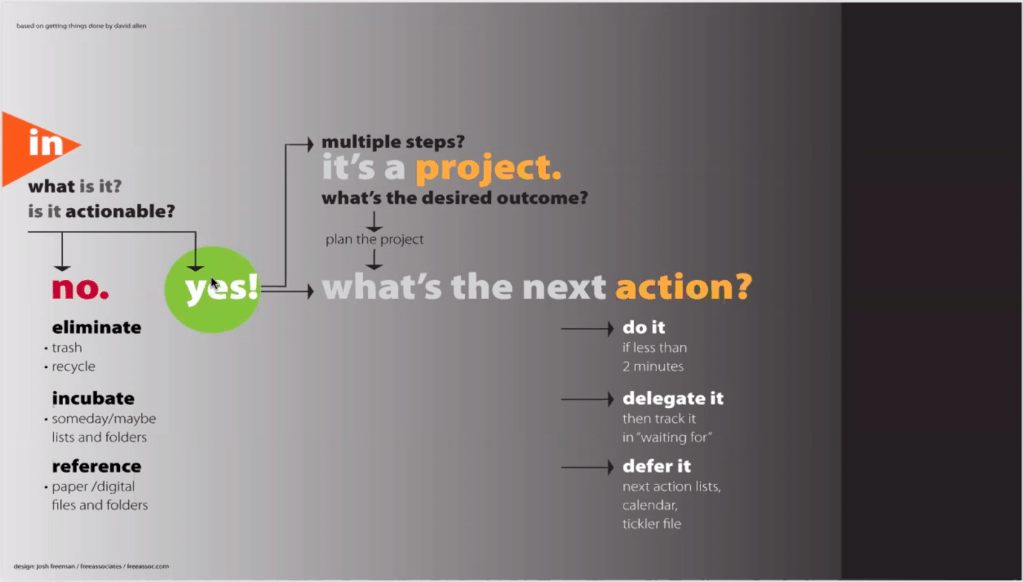
The themes of this week were definitely comforting to myself and I’m sure it is the same for the other students, as we gear up for our final exams and projects. With James walking us through some of his processes for time management and completing tasks, it put some of the stress of undergraduate exams and projects into perspective. Most significantly, James presented a workflow chart for managing new pieces of work that arise. Essentially, the first step is to determine if the task is realistic or actionable prior to investing the time and realising the limitations before it’s too late. If it is possible to complete the new piece of work, it is necessary to consider whether it is a small task that can be completed on the spot, something that requires some time but may be possible to finish that day, or if it is something that requires planning and multiple steps to complete over several days or weeks. Personally, putting in the time to comprehend the new task in detail is just as important as the finished product, since quality planning will result in a better end product.

Here is a screenshot from the lecture of the workflow chart :
To finish off this blog, here is a youtube clip made by one of my recent favourite artists/youtubers/podcasters Mary Spender discussing her strengths and weaknesses with time management, discipline and reflecting on her efforts in the work she does to create her content. The stress over a busy schedule or falling behind your own deadlines is a universal theme and something that is swept under the rug a lot of the time in conversation. However, taking the time to relax, reflect and begin working in the right mindset is fundamental to everything.

Thank you for reading

Mitchell
The balance between traditional music theory education and personal musical development

This week in Technology in music education, we were joined by Peter Lee who walked us through the incredible tools of Aurelia and Musition. Much like harmony and aural perception classes at the con, they are complimentary, collectively representing musical listening skills and writing skills.

There are many platforms and teachers that claim to offer engaging lessons on all aspects of music theory, however these two platforms are perfect for the classroom environment specifically, offering basically all the theory content you could dream in a music classroom. Ideally, I would pair the exercises found on Aurelia and Musition with practical musical examples, either activities with instruments or listening activities with music chosen that demonstrates a certain topic.

Music, just like any of the creative subjects, is interesting as it can be considered both an academic/creative/performing subject for education as well as a personal interest and craft. The two sides to this should be brought together as much as possible, if music teachers wish to engage their students. One example of the other end of the spectrum, being the personal interest aspect of music, is the well known and praised guitar teacher Justin Sandercoe. As a guitarist myself, his content on his website https://www.justinguitar.com/ is definitely of high quality and appeals to the personal interests of guitar players in many genres of music. A resource such as his online library of content is a perfect compliment to the strictly educational forms of music learning.

On that note, the other half of today’s lesson was a pitch for our major works. My project in a nutshell will be a video/Ibook resource that will give young musicians a starting point for the essential skills of music theory, learning to play music, songwriting, performing and recording music. While I will more than likely be using examples on guitar, I will make the resource open to any instrumentalist who is of the contemporary music persuasion. The intent here is not to attempt to persuade the viewer to become a musician who thinks, plays and writes the same way that i would, rather to compile my experiences into a single one stop shop resource that I wish i had when i was a young teenager learning to become an independent and creative musician.

Electronic music and mash up culture

This week for technology in music education, we explored the massively popular subculture of electronic music (those who are more in tune with the kids will be able to help me understand it) and specifically breaking down some of the stereotypes that come with it. These stereotypes can include the belief that it is easy music to compose and manipulate, or that there is a lack of depth in it’s creative intentions, substituting creativity for lucrative decisions. In fact, understanding the processes and details that go into DAW reliant music making is one tough challenge, and there is indeed a spectrum of both commercial and abstract or artistic electronic music.

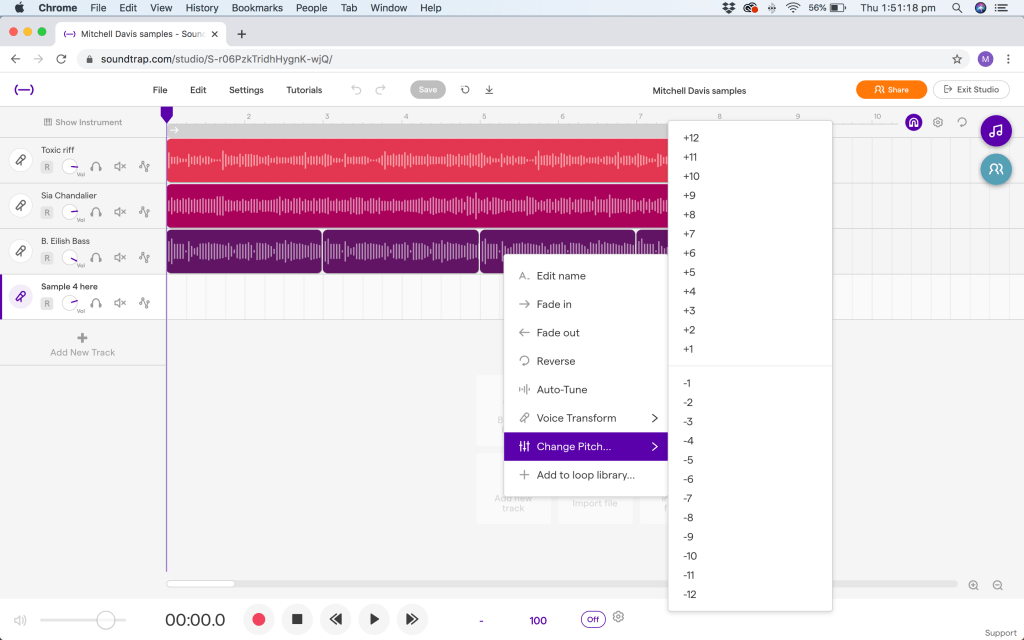
Without further ado, here are some screenshots of the challenges set to our class by James. First up, a sound trap exercise in combining several samples taken from hit pop songs, in whatever ways we could imagine. I managed to combine the bass line of a Billie Eilish song, the synth melody from a Britney Spears track and the chorus of a Sia track, manipulating the key/pitch and the tempo of each until they all matched as if they were composed for the same piece of music. While publicly hearing audio of this exercise may not be entirely legal, here is a screenshot of the process :

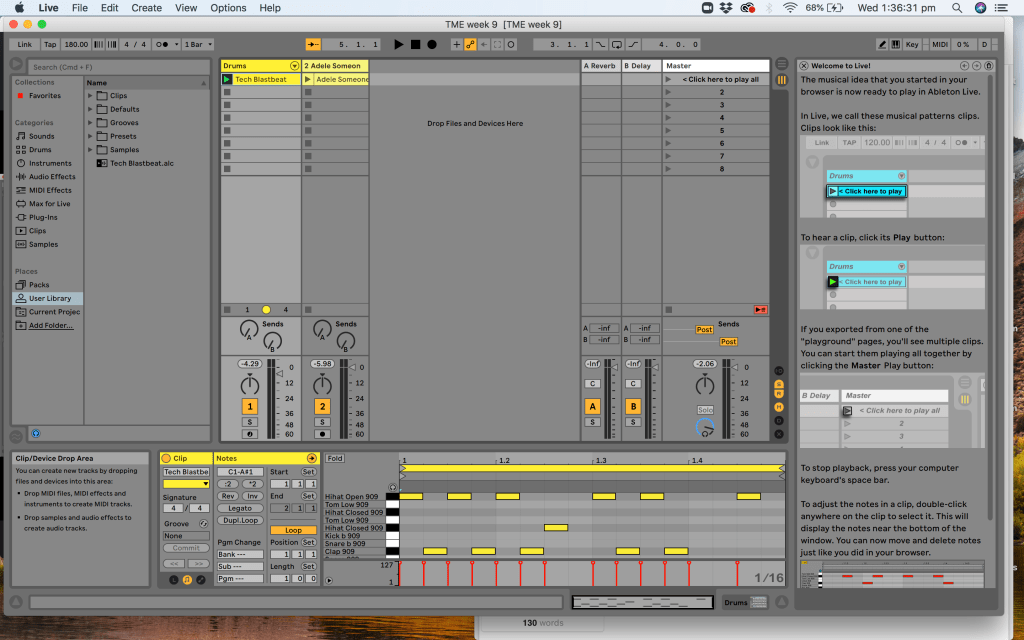
Next, an activity assigned to us in using Ableton live for a similar desired result, with the added audio manipulation abilities of ableton versus the limitations of sound trap. This exercise also included a drum beat designed from the ableton learning website, with the online and free drum loop designer. As a modern musician who plays rock, metal and blues, using a DAW such as Ableton with it’s many features actually proves to be more difficult than one such as sound trap :

In the same vein as this week’s lesson, here is a video by ‘boyinaband’, the youtube channel of a musician who is passionate about both analogue, live instrumental recorded metal music and digital electronic music. In this video, he takes a close look at the stereotypes placed on electronic musicians. It becomes clear that the knowledge and skillset required to understand and produce any form of electronic music that can entertain an audience or gain reputation as high art requires as much time and effort as that of learning an instrument.

Thank you for reading

Mitchell Davis
Maker spaces and project based learning in music education

This week’s topic for technology in music education took a step back from screens, processors and digital beeps. The maker space movement was introduced to use, spaces in which ideas of any kind can become reality with enough conceptualising, drafting, creating, critiquing and reworking.

Our lesson was centred around an interview that our lecturer James did with Phil Nanlohy, a highly experienced figure in education within Sydney. After many years as a teacher and teacher educator, Phil was put in charge of designing a maker space to support project based learning for primary school students. He described the maker space as a space which allowed for a practical extension on the learning taking place in classes outside of the English and mathematics realms. Equipment that Phil chose included sewing machines, child friendly power tools and hand tools, electrical circuits and depending on the project, various recycled materials that could be up cycled and transformed into a new project with purpose and educational value.

An American teacher named Wesley Fryer has shared several ideas on integrating maker space concepts into combining general music and science concepts for primary (or elementary in North America) education. Such examples include the “waterphone centre activity” in which jars are filled with water to different levels, changing their pitch when used as a percussion instrument. Another example is the “sound through string and wire” activity in which students explore sound travelling down lengths of string and vibration in the air causing sound. These activities make for great fundamental science based exercises for primary students and open the window into practical music education beyond learning to sing or play an instrument.

Thank you reading, Please let me know if you have found this page through facebook 🙂

Electronic music for modern music education

What’s that I hear you ask? Not all music students are crazy about the chorale from yesterday’s class? Never fear, a brand new synth is here. This week in technology in music education we explored some of the fundamental elements of modern electronic music, along with some of the basic principles for the science behind sound waves travelling through the ear, amplification and hearing a sound.

First of all, the basic science behind sound waves. When a sound is created by someone playing an instrument, that instrument will cause air to start moving which travels to a listener’s ear as well as to walls and other hard surfaces, bouncing back and forth adding reverberation. If a sound requires amplification, a microphone can be used to capture the sound and send it to a speaker. The speaker will move back and forth to imitate the shape of the sound wave passing through the air in order to recreate the sound. The shape of a sound wave can easily be seen when recording audio into a DAW.

James took us into a shared sound trap session in which he had prepared several tracks with basic synth patches. We looked at the sound of different basic wave shapes including sine, square, triangle and sawtooth. We then looked at ADSR envelopes for controlling both amplitude and frequency for the synth sound. Having recently finished a dance track for my contemporary music class, I am familiar with just how easy it can be to use synth sounds to layer musical ideas and create a piece of music that is fun in the making and as an end product.

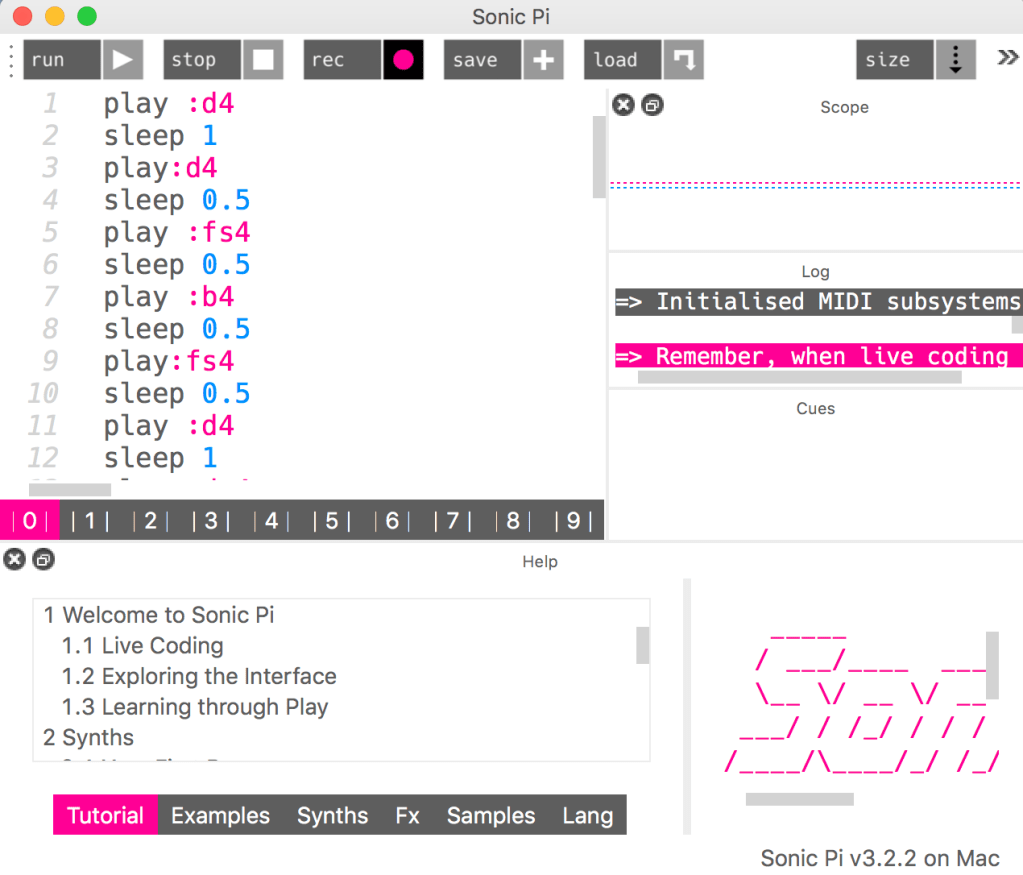
Later, we explored an application called sonic pi, a program that combines programming with composition. While I am yet to discover it’s full potential, my peers and I enjoyed making some strange new sounds and creating famous tunes through programming. Here is a screenshot of me programming a recent solfege exercise :

Modern electronic music definitely deserves a place in modern music education as it is has become an integral part of the modern popular music landscape. Electronic artists are wildly popular and praised for their creative and technical abilities.

Thank you for reading

Mitchell

Video production for asynchronous music education

I’m fairly sure that I have already mentioned the coincidence in our cohort taking this class and learning these skills, given the current global circumstance, several times. This week in technology in music education we focused on creating original video content for educational purposes. 

Last week was a kind of fundamentals of video making, whereas with this week we are fortunate to now have access to higher quality video editing software and learn techniques such as using graphics/visuals to assist with teaching a concept, and how to manipulate camera angles with several different sources of audio. Ultimately, all of these techniques should not direct the content of the video, they should be used to enhance the initial content planned for the video production. They should add a factor of entertainment and engagement for students when engaging with video/online educational material, without taking value away from the initial concept of the video.

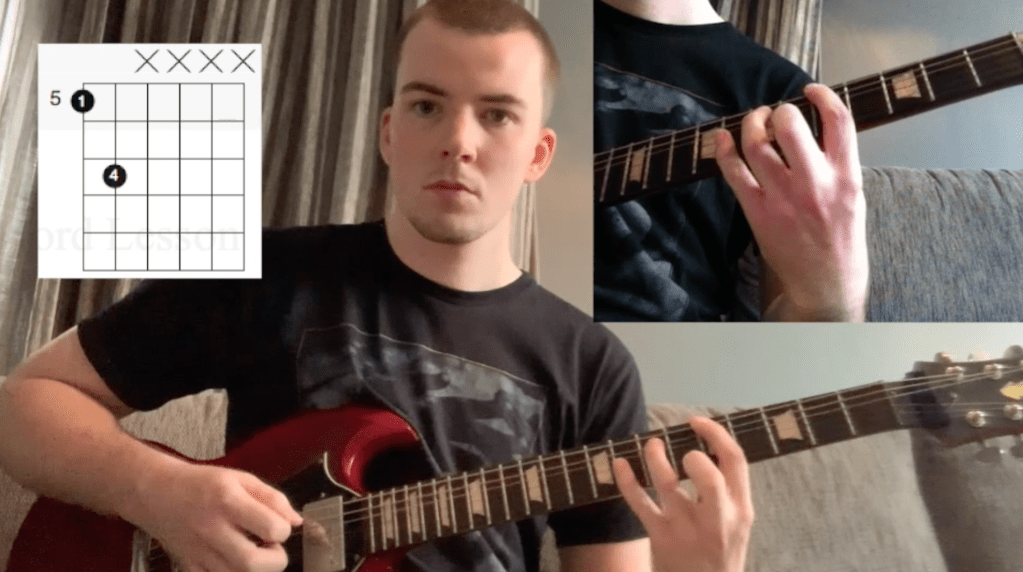
As mentioned, we are fortunate to have been given access to higher quality video production software, in the form of Adobe Premiere Pro. While I did find myself confused when I was creating my own practice video for this week’s activity, I could certainly see the value in it’s many detailed functions and features for creating video content. Despite the learning curve involved for a complex quality program, it was of great help in producing a demo video that I am proud of as an exercise in educational video production. Have a look at a photo preview here :

Following up on learning various methods of online teaching, I turned once again to Midnight music, the online resource created by Katie Wardrobe for assisting music educators with technology in the classroom (or out of the classroom…). Click hear to listen to one of her podcast episodes focusing specifically on creating more effective videos for education in general (not just music education). Her most important points were first to consider the style of video (face to camera, computer screen capture and whiteboard to camera with voice as audio were the examples of styles given).

Second, Katie gave 4 tips for better video production. She mentioned audio quality both in terms of minimising background noise and using better quality microphones. Lighting was also mentioned. Natural light is a great option, however if it is not possible at night perhaps, then having a well lit room with no shadows on the subject of the video is important. Katie then mentioned positioning the camera correctly, giving examples such as using a tripod for a real camera, or a selfie stick for an iPhone, and using landscape instead of portrait view for better demonstration. Lastly, she mentioned that many poor quality videos often take too long to get to the point, along with some videos that have a lack of preparation with the example of a screen capture video where files or programs may not be prepared before the video starts recording.

Sources

https://midnightmusic.com.au/2020/03/mtt105-tips-for-creating-effective-teaching-videos-that-your-students-will-want-to-watch/

Video and audio in educational contexts

It definitely seems appropriate and coincidental that our Music Ed cohort is taking this class under the current global circumstances. Learning to record quality video and audio was the topic for this week’s class, specifically using it for educational purposes. Our Lecturer James gave us a great example by creating a thorough video going through various approaches to recording content and exploring options for those of us on a budget or dealing with cheaper (so basically 95% of us as students).

Several key elements were taught by James. First, the use of either one or several camera angles simultaneously in order to create more visually interesting content. The second camera angle can be used as a close up for a demonstration while the main angle captures all that is happening equally. Lighting and consideration of the shot was also mentioned. Not leaving too much unnecessary blank space and having front light so that the speaker’s face or the subject can be clearly seen. Lastly, recording audio through several sources was mentioned as it can be useful to have back up sources which recorded the audio from a video shoot. These can be audio from the individual cameras as well as separate microphones, as long as phasing is not created.

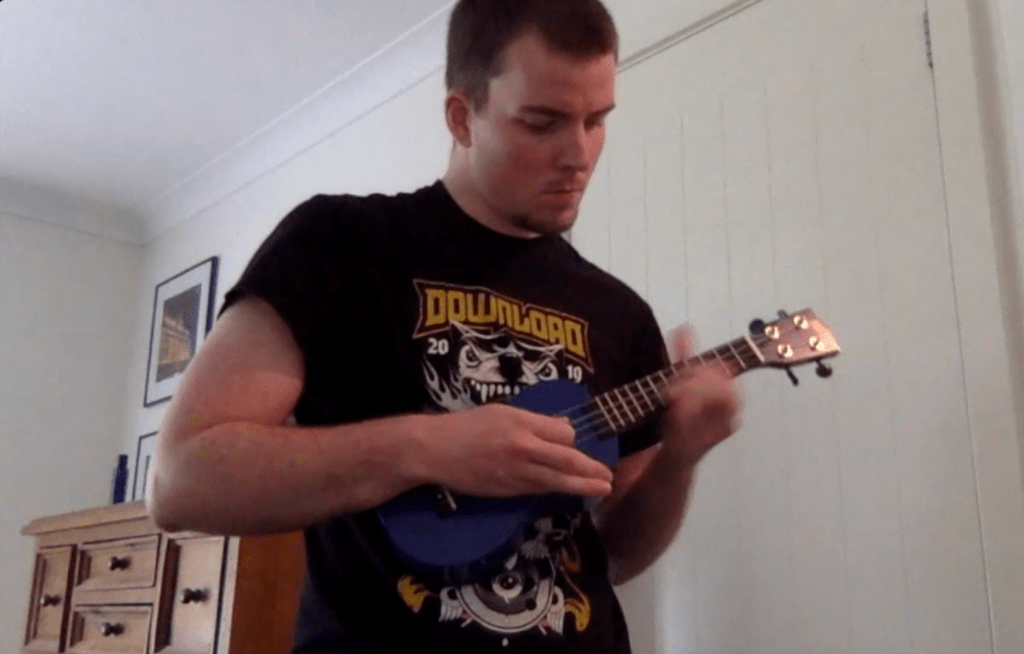
While I am unable to upload the entire clip, here is a picture taken from the video I created for class while practicing my audio and video skills :

Personally, I have been thinking and planning to start a youtube channel dedicated to guitar covers and possibly even some instructional material. These skills in combining quality sources of video and audio not only relate to my future skillset as an educator, yet also to some of my personal interests. My two favourite online musician personalities Ola Englund and Rob Chapman have both created tutorials on their processes for creating their content. 

Perhaps if I start my channel soon I will link it in this blog!

Thank you for reading

Music notation software in education

Music notation software is a powerful tool with many applications. However, with great power comes great responsibility as they say. There can be quite a learning curve in order to get the most of out of the software while wasting as little time as possible. This week in class we explored and discussed several of the big names in notation software, namely Musescore as a popular contender in music education since it is free and simple to use despite the inevitable learning curve. Interestingly, James mentioned the development of the XML file type, which allows for universal translation from one notation program to another. He also demonstrated the worksheet function in Sibelius, a powerful teaching resource for more concrete learning of specific musical concepts such as intervals, rhythm, and harmony.

We spent some time exploring Noteflight and Flat as free online options available to us as music students and future music educators. What became apparent for me personally is that my lack of experience with these programs is something that I feel I should work on, as it is another skill I could use as a future music educator.

As a contemporary music major studying in the Music ed degree, my experience with notation programs rests largely in the popular ‘Guitar Pro’. Guitar pro is a program aimed at musicians within popular music, mainly offering notation and tab functions for guitar, bass, drums, piano etc. however there is also large choice of orchestral, percussion, vocal/choral, and even the odd world instruments (African drums for instance!)

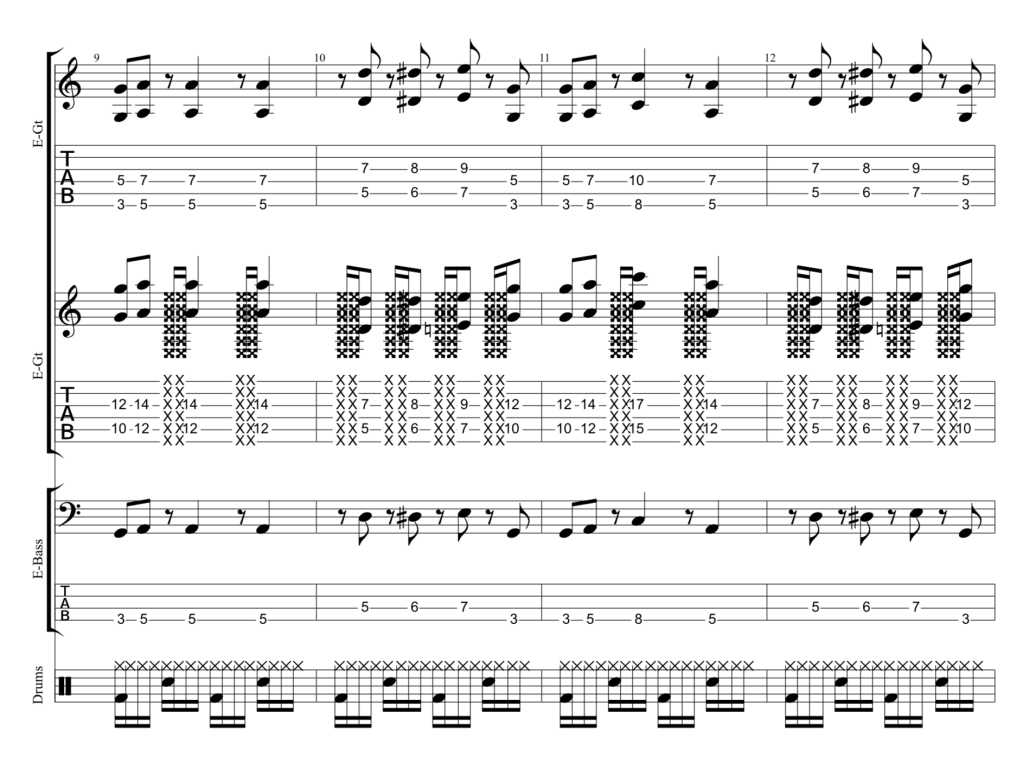
I have used guitar pro 6 for both personal and educational musical needs, in high school and still to this day studying at the con. Just the other day I created a chart with some ideas for a disco/dance track we were tasked with writing in our contemporary music class, have a look :

The Swedish online guitar personality Ola Englund created a guide/demonstration to the new guitar pro 7, highlighting the increasing speed trainer as a practice tool and the community of musicians who transcribe songs and share full charts for others to download and learn from. For students of a contemporary music background or preference, there is a lot of value in guitar pro.

Music notation software allows for both teacher directed and student (or self) directed learning which can create a more engaging and rewarding experience for all involved.

The Value of Technology in Music Education

It has indeed been a short while since my time in secondary school. While I have grown up surrounded by technology having a place in many areas of everyday life, my time in school was perhaps just before the introduction of teaching methods more heavily centred on technology, although I was fortunate enough to have an apple laptop provided to me by my high school. I would say this helped with efficiency of learning rather than always directly making a difference in the specific style of learning I experienced.

Our lecturer James mentioned that many music educators have been found to be traditional in their teaching methods, or “conservative” and resist to “change” as he described, according to recent research. Howard Gardener has highlighted that technology use among young people in general can harm “identity, relationships, and creativity”, although has acknowledged that it can also be positive in these areas. 

However, James’ conversation with a representative of the Afghanistan National institute of music clearly can give us all as current or future music educators new perspective on technology in the classroom. By connecting their staff and students to music educators all around the world via video conferencing, their work is an inspiring example of quality music education in the 21st century. For me personally, this example gave greater gravity to the value of technology in modern music education, by creating an inclusive experience for young people and educators. Perhaps in the past I would have viewed the use of tech as somewhat of a novelty.

Following on from last week, I received an email from the Midnight music blog (Katie Wardrobe) containing 3 free lesson plans as a thank you for following her work. While not a direct example of tech in the music classroom, it is an example of communication using tech for the general benefit of music education, via one educator sharing their ideas for lesson plans. Her 3 free ideas were a rap activity, clapping game activity and an exercise with rhythm and meter. Once again, here is a link to Katie’s blog: Midnight Music.

In lighter news, we also engaged with some research into how to best engage an audience via a website. The “F shape” demonstrated by “laser eye tracking” made perfect sense. I am currently happy with my blog’s layout, however over time I will try to work towards the most convenient presentation I can.

Thank you for reading and stay tuned for more.

Mitchell Davis

Exploring more creativity in the music classroom environment

After first focussing on the use of a digital audio workstation in the music classroom for the student’s benefit, this week saw our class take the next logical step in the world of DAWs and recording technology; the use of microphones to record live audio. Our lecturer James walked us through the details of defining a dynamic microphone, some revision on polar or cardioid patterns and achieving good sound quality with a healthy signal level to avoid clipping or distortion.  

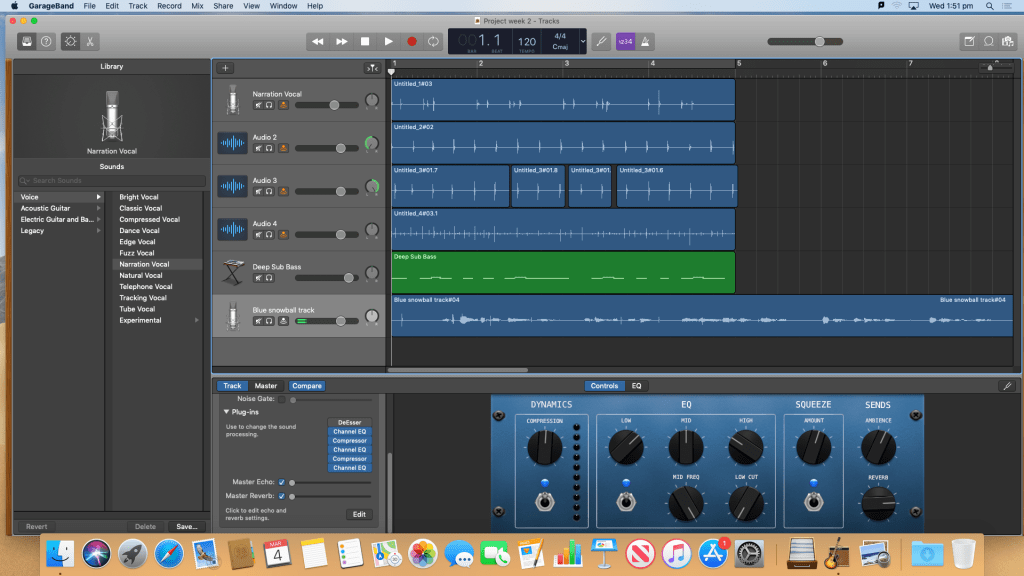
In small groups, we were given an activity to record a few simple tracks of really any kind of live vocals or body percussion, with an objective to become comfortable with using the technology. Specifically, we were taught these processes using Garageband, the infamous Apple developed application. While the end audio product was not of major importance, the process itself was important in today’s lesson. Here is a visual result of the work we did : 

This past weekend, my partner purchased a new Microsoft laptop for her university study, and as many young people often do, we debated the value of Apple against Microsoft (or windows in general). Why bother mentioning this old and often boring debate here? My main point for supporting Apple technology, are the powerful applications such as Garageband and iMovie. These are complete package options for those who require a workstation for sound and visual projects. Correct me if I’m wrong, I don’t see Microsoft developing stock applications for their computers with the same level of power for those working in creative fields. Regardless, let’s not continue to dwell in this long and tired debate.

Our lecturer James related our activity to our future careers as music educators, mentioning that grasp of recording technology is imperative for recoding school choirs, recitals, student assessments etc.

I certainly remember and appreciate the effort my own secondary music teachers put into the recording of and live sound for our performances, both in performance assessments and for the annual school events in which we could show off in front of the entire school.

Currently, we are at the second week of our class focusing on technology in music education. My goal moving forward with the class and this blog is to engage in online conversation with a network of music educators and students. Hopefully by week 3 I will have begun to start that process!

However, an article (and blog) I have come across this week is from Katie Wardrobe. In 2019 she created a blog post/guide to using Apple and Windows computers in the music classroom, exploring the details which I read about last week in the blog post I mentioned from WURRLYedu.

She breaks down different areas of music teaching such as songwriting, music notation, recording technology, ear training and theory, while providing examples of on and offline technologies available to teachers to further engage their students in the music classroom. She gave many great examples, including Soundtrap which we explored in class last week. I will definitely be keeping track of her blog/website “Midnight music” as a resource for my own use as a future music educator. 

Thank you for reading and stay tuned for more.

Mitchell Davis

References

https://midnightmusic.com.au/2019/03/how-do-i-get-started-with-macs-pcs-in-the-music-classroom-free-guide/