Mitchell Davis is currently a music education student at the Sydney Conservatorium of Music, born in 1997 in Sydney. Following a positive experience with music education in primary and secondary school combined with a personal interest in music as an art form and pastime, the decision to become a secondary school music teacher was naturally made.
Complimentary to studying music education, Mitchell also holds ongoing experience working casually in a youth centre in his home town of Liverpool, New South Wales. After studying a Certificate IV in Youth Work, It was here that he initially found his confidence and appreciation for working with young people to achieve positive outcomes, predominately running various sport and recreational youth programs both in local Liverpool school environments and at the youth centre's facilities.
Mitchell's specific area of musical expertise is in contemporary popular music. He is a guitarist and songwriter who enjoys genres such as heavy metal, extreme metal, hard rock, blues and pop. He has begun to write, release and perform his original music in order to gain greater experience in the world of contemporary music and give more value to his skills in becoming a music educator.
After challenging myself to better understand technique in playing the ukulele along with working out the twelve bar blues I IV V chords in several keys, I have been thinking more about the place and purpose of the instrument beyond decoration on top of existing music. While genres that include the instrument as a staple may be worth exploring, for now I will stick to western popular music for learning purposes. This process will allow me to further cement chord shapes in mind, as well as fulfil the intention of this assessment in the first place, to be able to perform chord based popular songs on a variety of instruments as the teacher in a variety of contexts.
This website (Uku-tabs) is reminiscent of Ultimate guitar, a community dedicated to sharing of transcriptions of songs for the instrument. The link provided is a long list of songs dedicated to ukulele driven popular songs, a perfect resource for learning more about the instrument in a real world context beyond the scope of this assessment.
After having spent some time studying the chord chart I created for myself, by finding patterns that I could turn into barre chord shapes to transpose to different root notes, it is time to put this all into practical use. Recently I have completed a lesson plan task in which I referred to the twelve bar blues as a great tool for fundamental songwriting and ensemble performance. For this reason I will be challenging myself to learn the twelve bar blues in keys F through to E on the circle of fifths (which all fit in the chords we are asked to learn). Learning to play the 12 bar blues using chords I, IV and V in both major and minor variants, combining in some dominant 7th shapes will make for great practice that relates to playing actual music on the instrument.
I have also thought about the technique behind the instrument. While learning the chord shapes is important, it will be worthless without good technique. Just as I did as a much younger man, utilising free online content is a great place to start for learning more about instrument technique. This video included advice on strumming, fretting, playing position and practice routines.
Following several weeks of becoming familiar with the ukulele as a new instrument, I have ‘formally’ decided to begin drilling the set of chords that we are asked to learn for the chordal instrument task. Just as a new guitarist will often spend their initial learning stage exploring the instrument and working out how to play a simple tune on their own in order to find a starting point, I needed to get acquainted with the ukulele before learning from another source.
In order to begin learning these chords more intensely, I created a table/grid with columns of C through to Bb and rows of major, minor and dominant 7th variants for each. My experience as a guitarist gave me the knowledge that anytime I found one easy shape on the ukulele neck, I could translate it up a fret or several and have the next chord I need to learn complete. This process worked well and I can now comfortably begin drilling these shapes to memory.
Approximately one week has passed since I have had my ukulele. It has been quite a laugh to begin with, the sound is just very different to most of the music and instruments I normally listen to. So far I have taught myself to play the chorus chords one of my band’s original songs “Together As One” along with the melodic main guitar riff (which I actually used for a video recording task in another music ed class the other day). I have also taught myself to play a classic extreme metal riff “Blinded by Fear” by At The Gates.
Besides all of that, down to business. The chords I have learnt so far after learning to play the chorus of my band’s original song are C major, A Minor, F Major and G Major. Seeing as how this 1 6 4 5 progression in C major was an incredibly easy way to learn and remember 4 chord shapes in a matter of minutes, perhaps I should write down 1 6 4 5 progressions in other white note keys (non accidental keys) to learn other chord shapes as well. It is definitely a more engaging and musical way to learn these shapes instead of drilling them with flash cards for example.
Under the current circumstances, our learning here at the Sydney Conservatorium is now online. As such, music ed students have been given the opportunity to fulfil a task normally given to us in a later class. The task is to learn a chord playing instrument that we do not already play. As a guitarist, the choices are piano/keyboard or ukulele. While I do plan to learn keyboard in the near future, the ukulele is a more convenient option especially with the current day by day changes in our communities.
I managed to purchase a ukulele from a music store close to home. Learning an instrument without a live teacher, instead from written or online sources and listening to records is something I am familiar with. My first year of guitar playing was through listening to Malcolm and Angus young of AC/DC, and the tab books made for their rock and roll masterpieces. James mentioned some options for online such as Justinguitar (Justin Sandercoe) of whom I am a fan of, as he creates engaging content for guitarists that I personally have used many times. I will definitely be exploring his ukulele instructional material. James also mentioned lynda.com has a free option for Sydney uni students, which I will also explore. I look forward to the challenge of learning an instrument from scratch once again.
Below is a link to ibooks resource created for the course. I may not keep this blog post and link up forever, if I choose to keep the recourse private, though for the time being it will be available to download here. In the spirit of the upcoming presentation for semester 1 2020 Tech in music ed class, it will remain public and available for the time being.
The project reflects my main interests from the realm of topics looked at over the semester, and some of the general ideas and thoughts I’ve had for creating my own educational/entertainment based resources potentially even for a youtube channel one day.
Here is the dropbox link (which is unable to give a preview directly on the page but will allow for download of the file) :
Thank you for reading and as mentioned previously, this is very much the end of the blog for it’s original purpose, however it will always remain online and will serve as a nice platform for me to keep a record of my own experiences with using technology as a future (and one day current) music educator.
Mitchell James Davis
Please let me know if you have found this page through facebook
That’s right. While it may seem like a quick turn around from posting about my project on Monday, once again I have decided to only put my best foot forward when blogging about it. Full disclosure, yes I had started some of the process of creating the Ibook when blogging about the completion of the video series (show business is all about creating illusion and entertainment). Here is the completed Ibooks version for your entertainment. Below I will discuss the making of the resource, particularly how I decided to use specific Ibooks features and how the video series I created remains the focal point with the Ibook format as an embellishment.
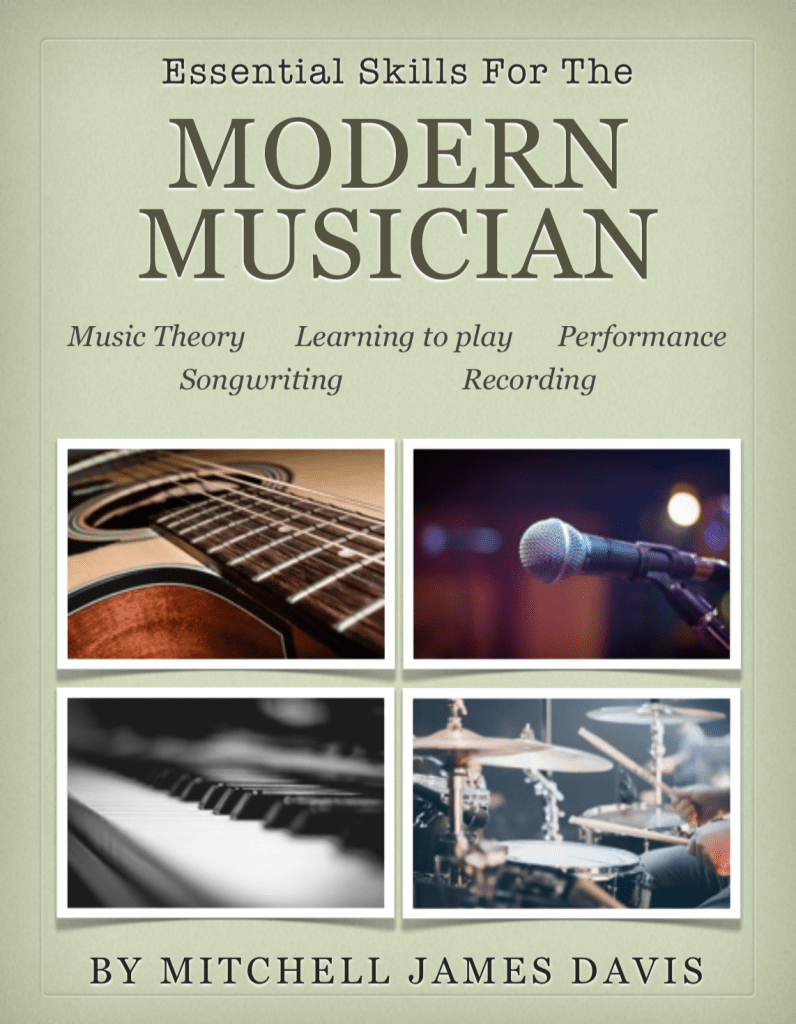
Front Cover
This is my first time creating an Ibooks resource, and I thoroughly enjoyed using it, knowing that it would create a good looking piece of work. Our lecturer James created a youtube playlist of Ibook tutorials which I took note of, however reminding myself that I will need to pick and choose from all of the possibilities (just as I mention in the music theory intro video that music theory is a set of tools that you can pick and choose from). Most notably, use of the widgets function allowed for video and images throughout the resource. In sum, the features I used from Ibooks author really comes down to embedding the videos I created throughout, along with images sourced from copyright free sources, and text boxes to supplement and further explain/consolidate the content from the video and image sources. As mentioned in my previous post, most of the production value here comes from the video series, with the Ibook mainly as a format of presentation.
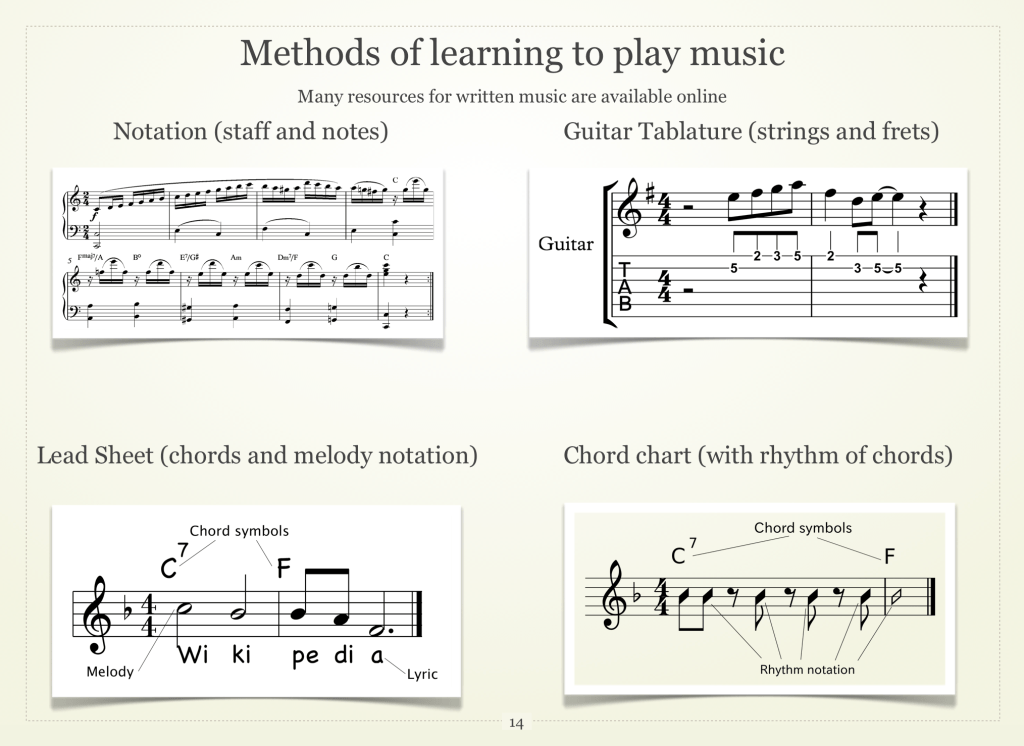
Video Page ExampleImages and text exampleMy personal favourite part of the resource. Arguably the highest production value is contained in this video.
I am proud of this resource, it has achieved what I set out to create. Within the five areas of music theory, learning, performing, songwriting, and recording, I have touched on the fundamentals and given some details, without going to overly extensive lengths of any specific examples, since the resource should be accessible to musicians with interest in any instrument and genre.
Conclusion
Thank you for reading, this is more than likely the last post related to work in this class (technology in music education), however I may revisit this blog whenever I discover an interesting piece of tech that I could use for my future career as a music educator.
Please let me know if you have found this page through a shared facebook link
I have chosen to put my best foot forward for creating a blog post about my project in the works prior to it’s completion. Although reflection and improvement is an important process, I intend to post about my project now and once more when it is finished. I believe this is the best way to get my thoughts across, instead of scattering these into separate posts and losing a sense of a clear picture that includes all details of the process.
The first major process of my project has been completed, creating a series of (what turned out to be a sum of 13) videos that will form the bulk of my ibook resource aimed at giving young, beginning musicians the awareness and simple tools they need to begin creating, engaging and exploring their own journey to become the musician they dream of. I have chosen 5 areas to divide the resource into, which are music theory, learning to play music, performance, songwriting and creating original music, and recording music. The aim with this project is not to go too far down the rabbit hole of any of these areas, as I can not possibly assume that every viewer will have the same musical goals and inspirations as myself. Rather, I am aiming to give the viewer some essential skills and awareness of these skills, while leaving the door open for their own journey based on the instruments they play, the music they enjoy and the motivations they have for becoming a musician.
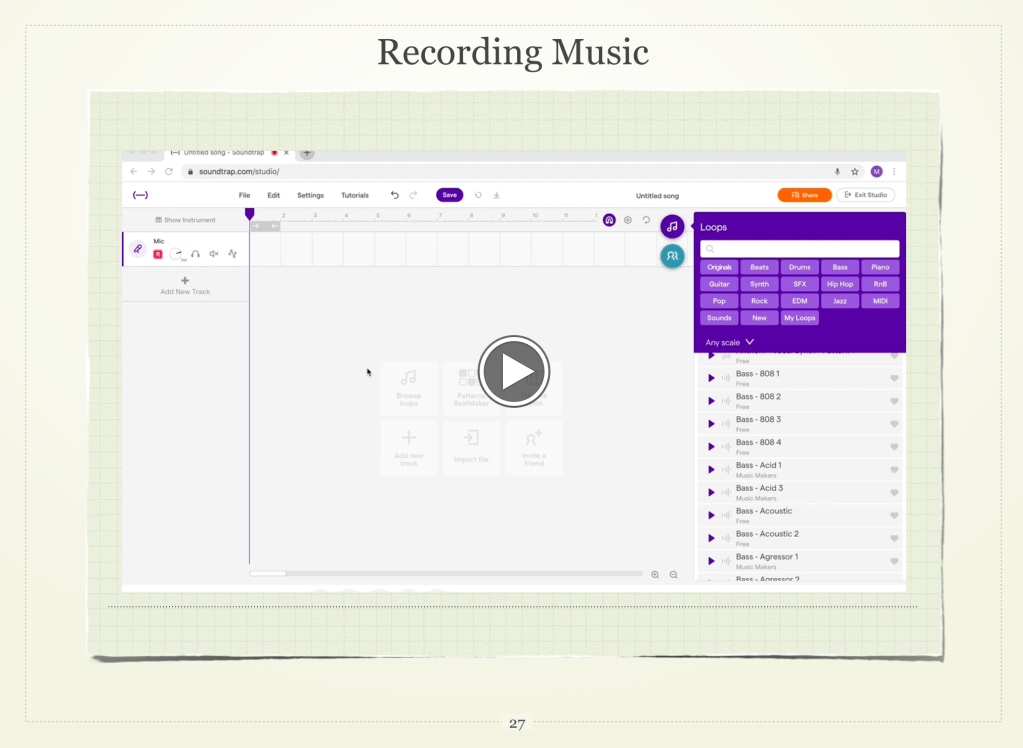
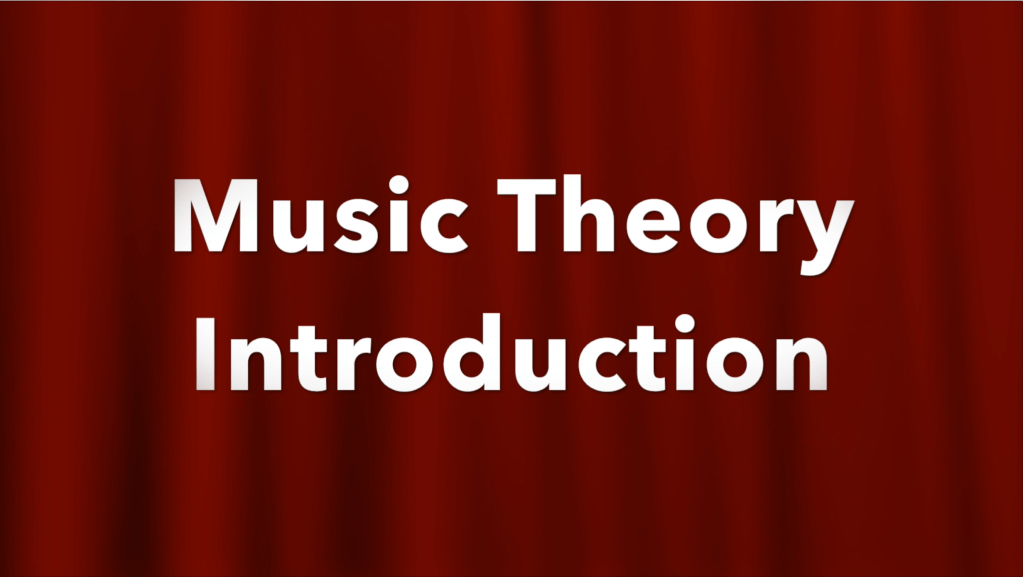
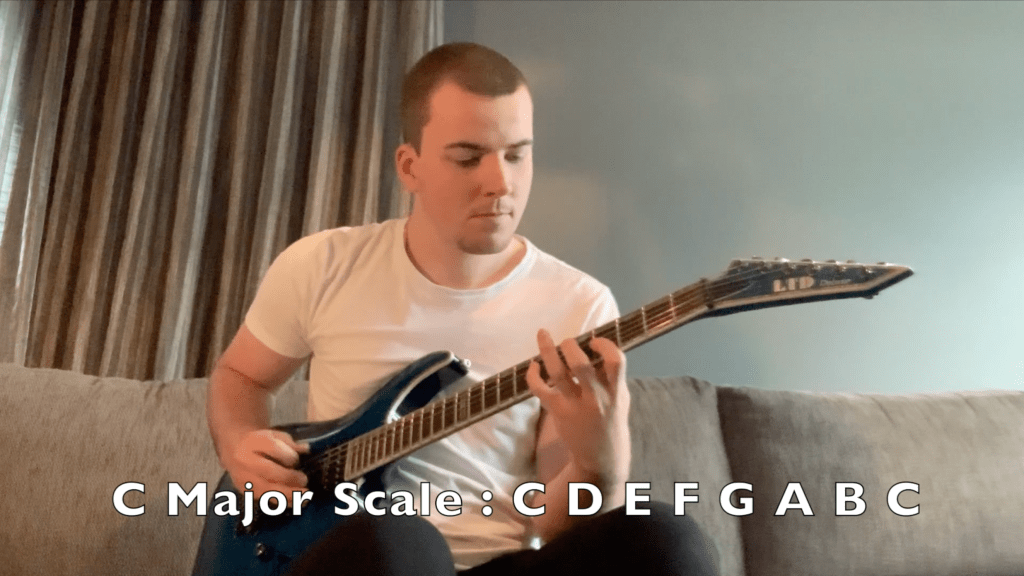
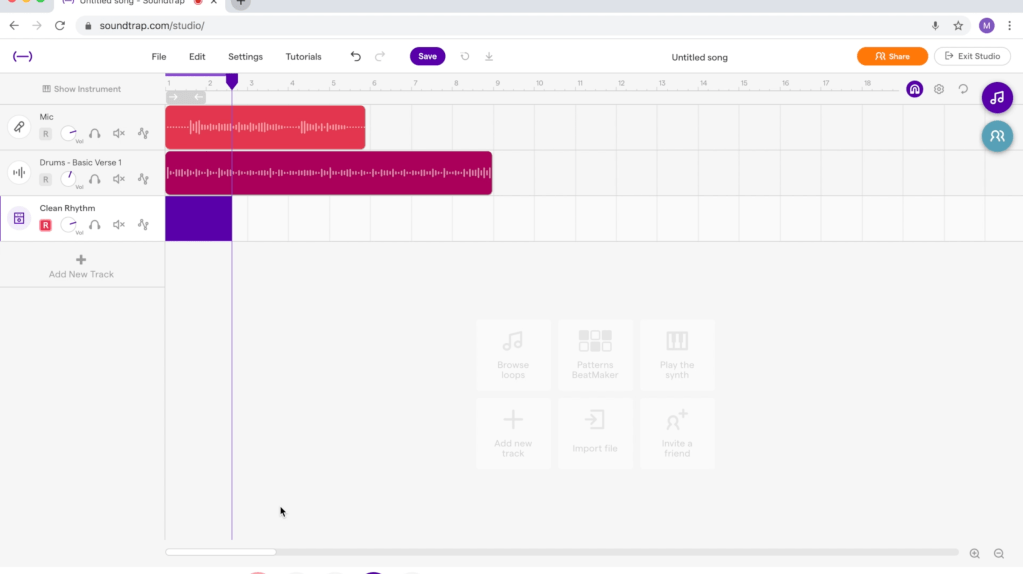
Here are some screen shots from the video series that is now ready to be utilised :
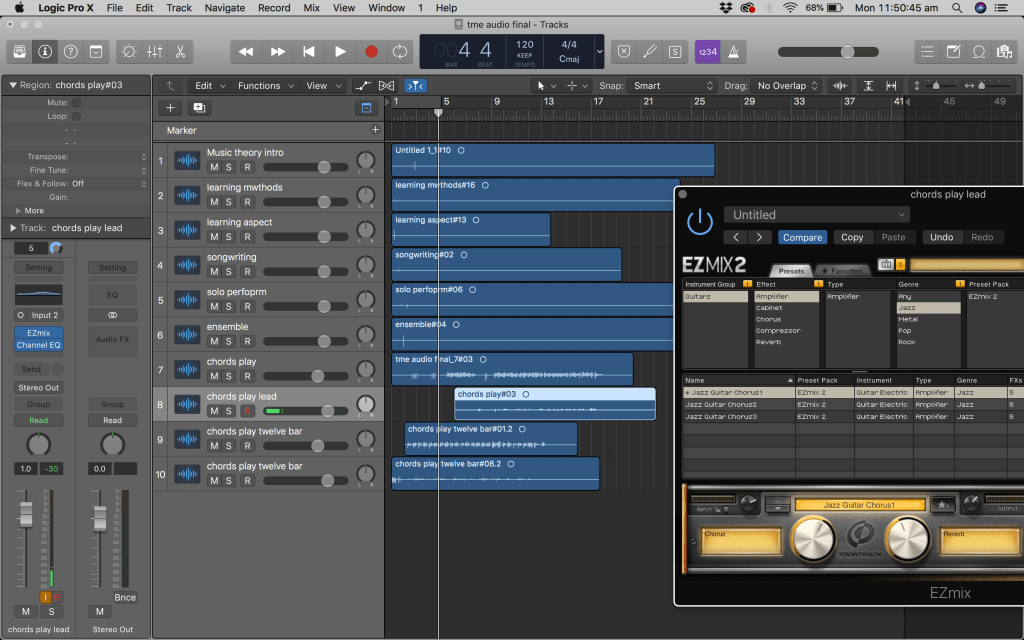
The tools and processes I used reflect the AV skills we have learnt not only in tech in music ed, but the other classes I have this semester which include these skills. The best camera that I have access to is my iphone XR, with the best source of audio for recording my voice being a Shure SM57 I loaned from the con. I used a single loud clap at the start of each recording to sync the voice audio from the SM57 track and the video from my iphone camera. I was also able to record my guitar as a DI into my laptop while filming the musical tutorial sections and blend this with the sound of the guitar in the room. The guitar tracks all have some plugin guitar sounds that I use from Toontrack, which when blended with the sound of the guitar in the room create the illusion of playing an amp in the room on camera.
I used iMovie to edit the videos together, which included creating a “branding” intro of the ‘theme song’ for the project (which is the example piece created during the soundtrap recording tutorial pictured above), and of course a background (red curtains) and text signature for all videos. Personally, the soundtrap recording is something I enjoyed making, the production quality on that is arguable the highest, as I did some research and discovered an application called soundflower which allows direct recording of computer sound while doing a screen recording on quicktime player. This video also taught me about the audio MIDI setup on mac computers and about how to combine sources of audio. I was able to combine the sound of my voice being monitored and recorded through the SM57 microphone coming through the soundtrap, along with a DI signal of my guitar also coming through the monitoring and recording functions of soundtrap. Lastly, I captured the sound of using a soundtrap drum loop, as well as capturing direct playback of the project with the vocal, guitar and drum tracks together. Yeah, I highly recommend soundflower for Mac users, it is a life saver when you combine it with the manipulation of your Audio MIDI setup on a mac.
Here is a screenshot of the logic project containing some of the audio recordings of my voice and the guitar tracks from some (not all) of the videos I created :
Thank you for reading, please let me know if you have found this page through a facebook share. Stay tuned for the update when the ibook resource is finished. If you enjoyed reading this post, be sure to check out my previous post on the work of my peers, on which I share my own thoughts with a few comments on their blogs, which you will find links to on that prior post of mine.
As we have now finished our 13 weeks of classes, I decided to take a look at some of the work done by my peers, leaving a comment or two afterwards. I chose to take a look at some of the reflections on their projects as well as look back on the thoughts of others from weeks that I enjoyed most.
First, here is Katrina’s blog post on the videography week. Personally, this was one of my favourite weeks, as getting into creating original video content is something I have considered doing even for a hobby (guitar covers and such). Over this semester I have had several classes touch on these skills in various ways, allowing us the opportunity to build new skills for the purpose of our future careers as music educators. Katrina mentions many of the key points discussed in class including the use of multiple camera angles, or filming separate pieces of video and editing them together later, using a separate higher quality source of audio rather than the stock audio of a camera, and lastly using the clap and sync method in order to easily sync camera footage and audio. These general video and audio skills are something that contribute largely to my major project.
Here is Ashleigh’s post about Aurelia and Musition along with her project in the making. While the Aurelia and Musition aspect of this week was engaging and something I should definitely keep an eye on as a resource for my future career, I am more looking at Ashleigh’s project ideas here. She is creating an ibook resource dedicated to teaching younger students and children about the orchestra and it’s instruments. The resource will teach details such as the sound of the instrument, it’s clef, and it’s techniques. Ashleigh also intends to include interactive elements from the ibook functions. Personally it is a resource I would take good interest in, as a contemporary music person it would be valuable to learn more about the orchestra.
Similarly, here is Bridgette’s project in the works. Contrary to Ashleigh, Bridgette is creating a documentary resource on electronic music. She has mentioned in class that while she has a large background in classical music, she is also interested in many electronic artists and the processes of making the music. In her blog post she has created a timeline of steps to complete the project which includes research script writing, interviews, recording of her own content, and final editing. It will be interesting to take a look at the final product and learn about this entire subculture of music that I am not very familiar with.
Lastly, here is Mishael’s blog from week 12, in which our lecturer James walked us through some of the psychology and processes behind staying motivated and planning out your time to accomplish the workload you have in front of you. Mishael mentions that while completing a task and crossing it off the list feels great, the recent circumstances of studying and working from home have been incredibly sudden for us all, becoming detrimental to our motivation. However, she also mentions the new found energy that can be put into reflecting on the work of each day both in the morning and night, helping to organise tasks throughout the week. While it has been an incredibly strange time, I am grateful to be a part of a great community at the con in music ed, with teachers and students that are motivated to continue striving and supporting each other.
This week for technology in music education, we were joined by Ethan Hein for one of his several lectures for music education here at the con. The focus of this lecture was electronic music and it’s place in music education, with a discussion of how this music can be brought into the classroom successfully. While this topic has naturally been a part of several lectures in this course, having Ethan Hein’s perspective on electronic music and it’s place in music education was especially thought provoking.
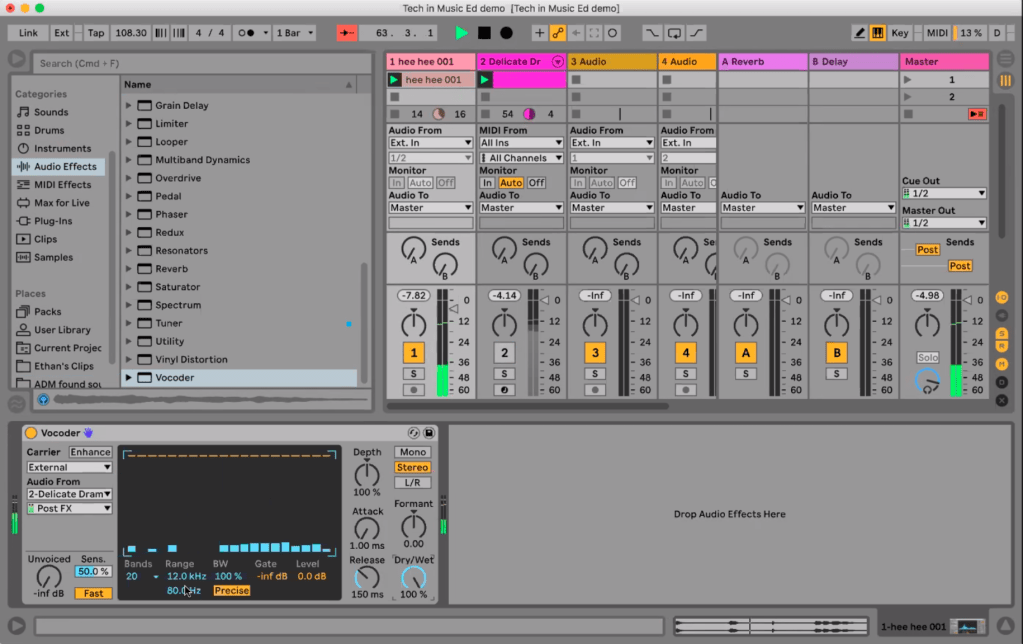
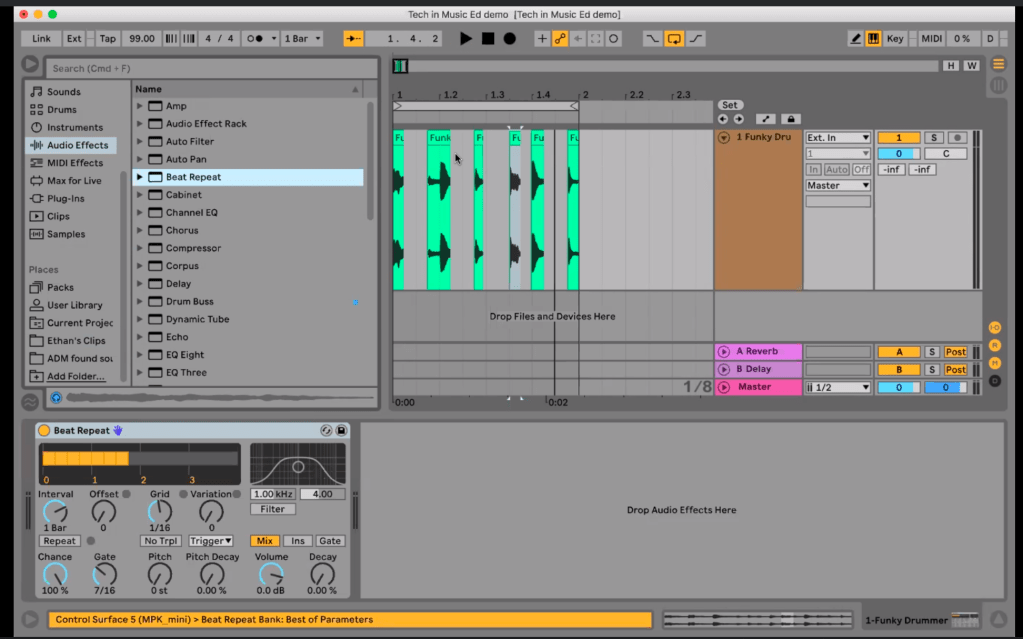
Ethan walked us through several of his preferred effects and methods of music making with Ableton live, a program that we have been exposed to in this course a few times already. Many of the methods involved the manipulation of existing music, which falls in line with Ethan’s interest in the contentious issues that surround rap and hip hop music. For example, using the vocoder to manipulate live recorded human vocal performances was an interesting way to bring a new modern energy to live vocals. Further examples that were interesting included manipulating live recorded drum performances using simple cut and paste functions, and ableton effects such as beat repeat, as well as slicing the audio and assigning the samples to a midi controller in order to have control over creating a sampled drumbeat. Ethan also discussed the history of technology behind tempo and pitch manipulation, as in the past it was impossible to change tempo without affecting pitch and vice versa. These techniques are some of many examples of methods to engage students in the modern music classroom in a way that is relevant to the popular musical landscape of today.
It is important to consider how best to bring electronic music such as this into the music classroom. Ethan Hein has also given us lectures in the past few days about how to approach rap music in the classroom, considering it’s specific values on individuality and race. Personally, using electronic music education through the use of programs such as ableton or even ipad/phone/computer/online apps to create electronic/sampled sounds for students is a great place to start.A video created by Eric Jao (DJ Enferno – not inferno) states his tips for using music production and electronic music in the classroom. He opens with a great analogy, which is that pre made sound loops are like big building blocks and are easy for students to work with, rather than smaller lego bricks requiring planning and detail (which can be compared to writing music note by note with an instrument). The pre made audio loops in a program like garage band or sound trap are a great starting point for bringing electronic music into the classroom. Jao also states the importance of giving students parameters to work within, while still allowing them the freedom to be creative. His example in this case is to tell students to choose one drum loop, one bass loop and one melodic loop so that students are not losing track of creating a piece of music with clarity.
Thank you for reading, please let me know if you have found this page through a shared link on facebook
 Mitchell Davis Music Education Study Blog 2019-22