I’m fairly sure that I have already mentioned the coincidence in our cohort taking this class and learning these skills, given the current global circumstance, several times. This week in technology in music education we focused on creating original video content for educational purposes.
Last week was a kind of fundamentals of video making, whereas with this week we are fortunate to now have access to higher quality video editing software and learn techniques such as using graphics/visuals to assist with teaching a concept, and how to manipulate camera angles with several different sources of audio. Ultimately, all of these techniques should not direct the content of the video, they should be used to enhance the initial content planned for the video production. They should add a factor of entertainment and engagement for students when engaging with video/online educational material, without taking value away from the initial concept of the video.
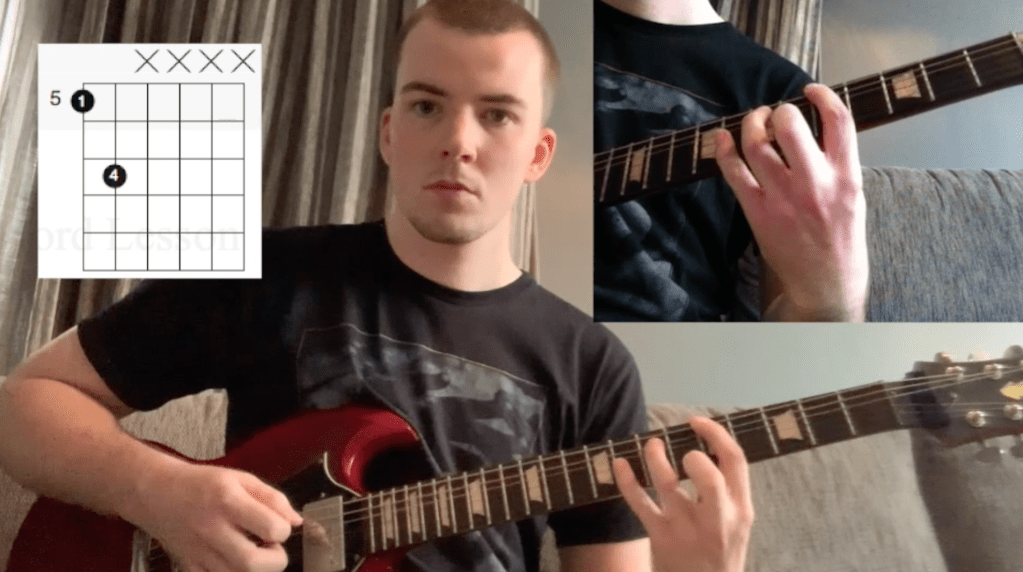
As mentioned, we are fortunate to have been given access to higher quality video production software, in the form of Adobe Premiere Pro. While I did find myself confused when I was creating my own practice video for this week’s activity, I could certainly see the value in it’s many detailed functions and features for creating video content. Despite the learning curve involved for a complex quality program, it was of great help in producing a demo video that I am proud of as an exercise in educational video production. Have a look at a photo preview here :

Following up on learning various methods of online teaching, I turned once again to Midnight music, the online resource created by Katie Wardrobe for assisting music educators with technology in the classroom (or out of the classroom…). Click hear to listen to one of her podcast episodes focusing specifically on creating more effective videos for education in general (not just music education). Her most important points were first to consider the style of video (face to camera, computer screen capture and whiteboard to camera with voice as audio were the examples of styles given).
Second, Katie gave 4 tips for better video production. She mentioned audio quality both in terms of minimising background noise and using better quality microphones. Lighting was also mentioned. Natural light is a great option, however if it is not possible at night perhaps, then having a well lit room with no shadows on the subject of the video is important. Katie then mentioned positioning the camera correctly, giving examples such as using a tripod for a real camera, or a selfie stick for an iPhone, and using landscape instead of portrait view for better demonstration. Lastly, she mentioned that many poor quality videos often take too long to get to the point, along with some videos that have a lack of preparation with the example of a screen capture video where files or programs may not be prepared before the video starts recording.
Sources

 Mitchell Davis Music Education Study Blog 2019-22